

On a working device.
A supported app connects a computer or mobile device with its own identity.
Connectivity, on your terms.
Connect your people, apps and infrastructure.
Over the internet you already have.
Available with assisted setup. Device and location support confirmed before setup.
 Connection explorerConnection illustration
One platform.
Independent products.
Hosted nodeRoutes the permitted connectionFibmesh Networks Available
Connect approved people to private servers, office resources and cloud workloads over your existing internet connections.
Application logins and permissions still apply. Supported devices and gateways connect through Fibmesh nodes.
HTTPS gatewayReceives the public requestFibmesh Publish Available
Give a selected web app or API an HTTPS address through a connector. Visitors open a link without joining your private network.
The application keeps its own authentication. HTTPS terminates at the gateway; WireGuard protects the supported connector tunnel.
Public IP deliveryRoutes the permitted connectionFibmesh Public IPs Available
Give a supported server or gateway a public address over its existing internet connection. Choose which incoming connections are allowed.
A public IP does not open every port. Incoming firewall rules and the agreed return path still apply.
Internet exitEligible traffic leaves hereFibmesh Outbound Available
Route a supported device’s internet traffic through a Fibmesh exit. Ask about a stable or dedicated source address for services that use IP allowlists.
Current profiles use full-tunnel routing with platform and local-network exceptions. An exit does not enable incoming access.
An illustrative path. Your access rules define what can connect.
Choose the product your connection needs. Use one, or combine them.
Compare the products ↗Where Fibmesh fits
A supported app connects a computer or mobile device with its own identity.
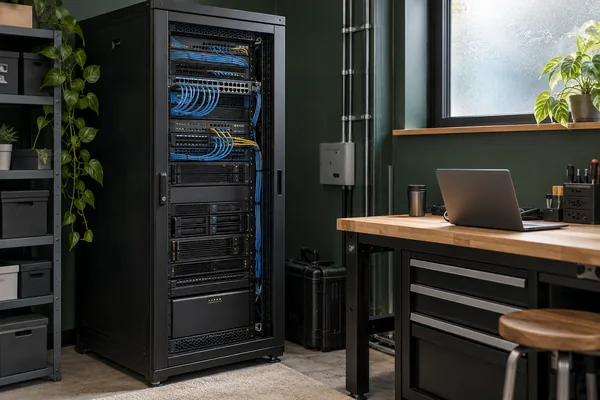
A supported agent or connector runs beside the application, on site or in the cloud.

A supported gateway reaches approved local resources that keep their existing software.
Device support and product capabilities are confirmed together for your deployment.
Illustrative settingsSolutions
Give colleagues access to the office applications and resources they need.
Explore Business ITReach private development tools and share selected applications for review.
Explore developer solutionsConnect workloads across environments and keep administration private.
Explore infrastructureConnect customer systems with clearly scoped access and a practical handover.
Explore partner solutionsConnections in practice
Every connection has a job to do.
Here’s what that can look like.

A colleague needs a file or internal tool while away from the office. Networks gives their supported device a permitted path to that private resource, with application logins still in place.
Explore private access
A team runs a customer portal on its own server. Publish gives the selected web app an HTTPS link while administrative tools stay unpublished. The application keeps its own authentication.
Explore app publishing
A restaurant business kept its billing server at one site. A Fibmesh public address let another location reach the same application. Full-tunnel routing on the application host supported this deployment.
Read the deployment
A distributed team uses an external service that checks source IPs. An agreed stable outgoing address can give its supported devices a consistent source to allowlist. Current Outbound profiles use full-tunnel routing with platform and local-network exceptions.
Explore outgoing identityPhotographs show illustrative settings. The Public IPs story describes an anonymised deployment; the other stories are example scenarios.
Security & control
Device identity and centrally defined rules determine which resources can be reached. Application logins and permissions still apply.
Supported endpoints keep private keys on the device by default.
WireGuard encrypts supported tunnel segments. Applications still need appropriate authentication and encryption beyond those segments.
From Fibmesh
Guides to planning, securing and troubleshooting your connections.
Know what to check when your VPN is connected but the application still won’t open.
Illustrative photographs · AI-generated editorial scenes.
Getting started
We’ll help you choose the right setup and confirm the details before activation.
Share what needs to connect, where it runs and who needs access.
Agree the product, supported devices, location, scope and pricing with Fibmesh.
Arrange assisted setup, then verify access to the intended resources.
Before you begin
Yes. Networks, Publish, Public IPs and Outbound can be used independently. Start with the product your connection needs.
Yes. Fibmesh runs over supported existing internet connectivity. It does not replace your broadband connection or provide a dedicated access circuit.
Fibmesh runs on supported devices. Some site connections need a compatible gateway—we’ll confirm what your setup requires.
See deployment options ↗Tell us which devices you use and where the connection will run. We’ll confirm product, device and location support before setup.
Check availability ↗Pricing depends on your chosen product and deployment. Scope and cost are discussed before setup.
About pricing ↗Your next step
Our ambition: to make the internet work as your network, with more choice over where technology lives and control over how it connects. Discover our vision ↗


